Hype Pic Collage: Quick collage maker for everyday photo stories
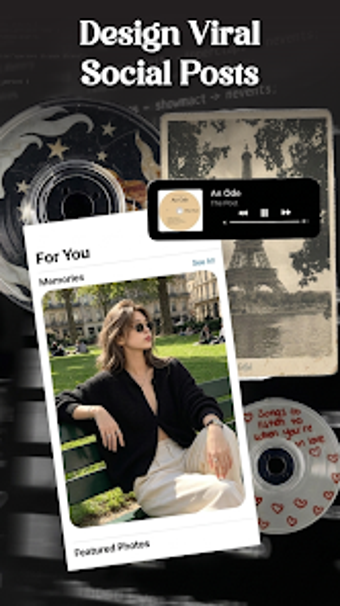
Hype Pic Collage: Photo Editor, by Vu Ha Thi, helps Android users turn photo collections into cohesive visual stories. The app combines a grid-based collage maker with frame editing, offering automatic grid suggestions, multi-photo layout assembly, background replacement, and sticker and filter tools to create themed compositions. It includes preset templates, customizable borders and rotation controls, a library of stickers and filters, and high-resolution export for sharing or archiving. Photography hobbyists, social creators, and casual storytellers gain a fast path to themed collages without complex desktop tools.
Arranges weekend snaps into ready-made visual stories
You open a handful of holiday shots and the app proposes layouts immediately, which makes quick storytelling possible. The Grid Layout Creator and automatic grid suggestions assemble multiple images into balanced frames, and a collection of preset templates supplies occasion-specific starting points. For users who want themed outcomes with minimal fiddling, the layout engine and themed frames cover photo sequencing and composition in a single tap.
Fits into Android sharing and export workflows
Designed for mobile use, the app runs on Android and exports finished images at high resolution, so results keep print- or post-ready detail. Saved collages can be written to the device or shared directly to social platforms, matching common smartphone publishing habits. The requirement of a standard Android operating system version keeps setup simple, and no additional hardware is necessary to move images from edit to share.
Makes basic edits accessible while keeping manual control
At first glance the interface looks straightforward, then it reveals controls for small adjustments: border thickness, rotation, background color and pattern, plus a sticker and filter library for visual accents. Those customization options give users more than a template generator without steep learning. The workflow suits people who prefer direct manipulation of layout elements rather than deep, layer-based editing.
Positions itself as a lightweight alternative to AI-heavy editors
The app is presented as a focused tool for collage and frame aesthetics rather than automated retouching, and early positioning shows it beside more complex, model-driven editors. Target audiences named include photography enthusiasts, social media creators, and hobbyists, so suitability favors quick themed projects over professional compositing. As a relatively new release building a user base, expect steady feature refinement rather than an extensive ecosystem of third-party plugins.
To sum up, a practical choice for quick themed collages
The app is a practical option for users who want fast, patterned layouts and polished exports for everyday sharing; it excels for people who prefer focused creative tasks over elaborate photo manipulation. One limitation is its emphasis on preset-driven aesthetics, which may feel restrictive to editors seeking advanced retouch or layer control. To sum up, the app suits anyone who values speedy, attractive collages for routine use.